Collect client photo evidence without the back-and-forth.
LegalPicsApp gives law firms a structured way to collect, review, and turn client photo evidence into clean PDF packets for filing.
Court-ready PDF packet
Marriage Evidence Packet
Case No. I-130-2026-1184
Cover page
Marriage Evidence Packet
Petitioners
Maria Santos and Daniel Santos
Filing use
Marriage proof for immigration filing
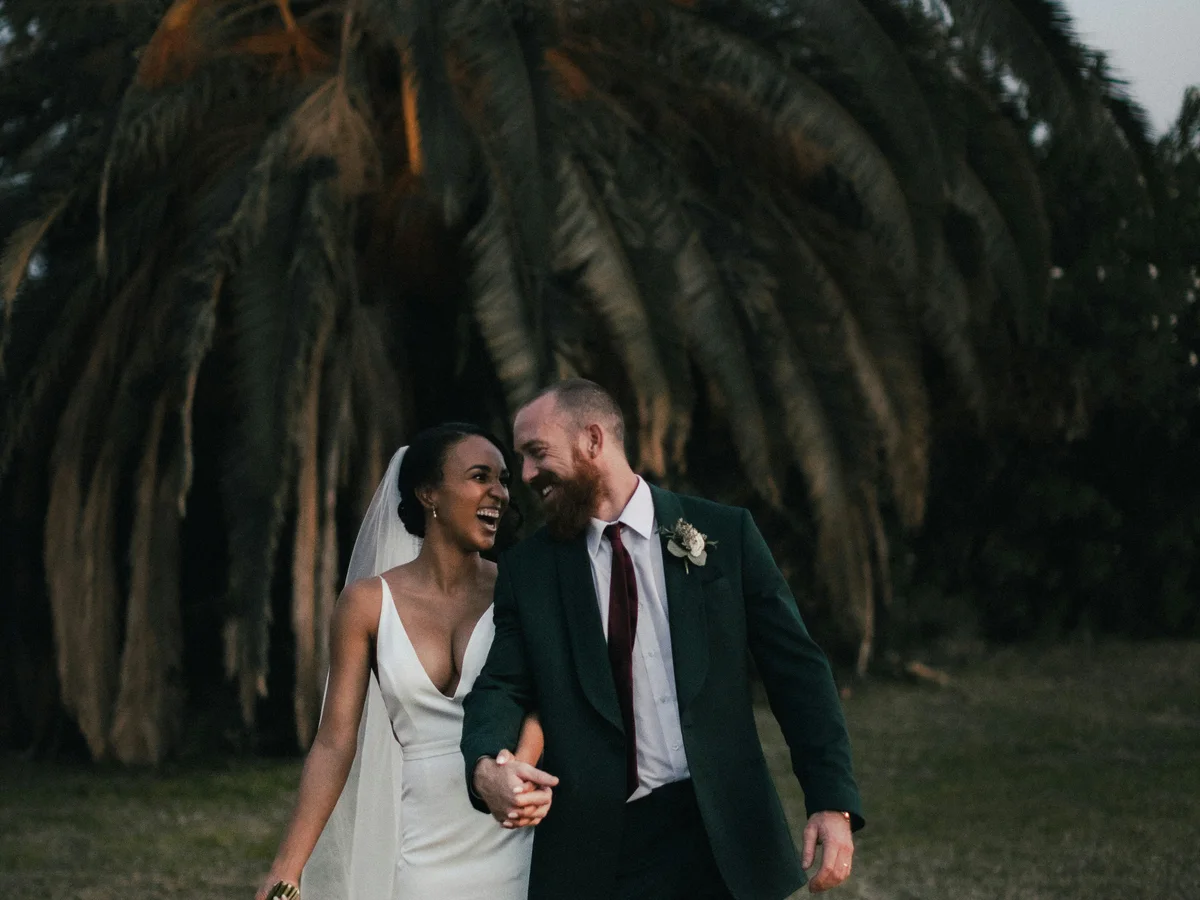 12
12Photo 01
Wedding day
Date taken: 06/14/2024
Description: Illustrative wedding portrait of a couple after their ceremony.
Tagged people:
 12
12Photo 02
Travel together
Date taken: 11/02/2024
Description: Illustrative group travel photo from a mountain outing.
Tagged people:
The Problem
Evidence intake is still too manual for too many firms.
When client photos arrive by text, email, printout, or scattered uploads, the firm ends up doing clerical reconstruction before legal review can begin.
Printed photos and handwritten notes slow down the firm
Staff still spend hours asking for better pictures, matching notes to images, and rebuilding evidence packets by hand.
Client evidence arrives incomplete or out of order
Without guidance, photos are missing dates, descriptions, and basic context, which creates more follow-up work before review can even start.
Review and packet prep become separate manual jobs
Teams often review evidence in one place, then recreate it again for filing. LegalPicsApp keeps collection, review, and packet output in one workflow.
Synthetic product walkthrough
See a client evidence workflow move from context to a review-ready packet.

People and relationship legend
- #1Jordan Example - Client
- #2Morgan Example - Spouse
60-second walkthrough
The client uploads a photo, adds the date and description, places numbered people markers, and submits the shared evidence workspace. Staff then review the submission and generate the ordered packet.
Download synthetic sample packet (PDF, approximately 40 KB)How It Works
A focused workflow for intake, review, and packet generation.
LegalPicsApp keeps the client collection experience simple while giving the firm a structured evidence pipeline.
Step 01
Open a case and invite the client
Staff create a case, assign reviewers, and send a case-specific client invitation without exposing the rest of the firm workspace.
Step 02
LPA guides the client through photo evidence collection
Clients upload images, add required metadata, reuse a shared people list, and work inside a structured evidence workspace.
Step 03
Review the submission and generate the packet
Assigned staff review the case, approve or reject it, and generate a formatted PDF packet that orders photos consistently with the reviewed case record.
Security and Privacy
Built to help firms handle sensitive evidence with more control.
LegalPicsApp is designed to support secure evidence intake, clear permission boundaries, and accountable case activity without pushing clients into a complicated workflow.
Controlled access by role and case
Staff and clients only see the cases and actions they are meant to access, which helps reduce accidental exposure and keeps evidence workspaces focused.
Protected handling for uploaded evidence
Photo submissions move through a managed intake flow designed to keep case materials organized, restricted, and available only to authorized users.
Clear activity history and accountability
Key case actions are recorded so firms can understand what happened, when it happened, and who took the action.
Privacy-aware client experience
Clients work inside case-specific spaces instead of broad firm portals, which helps keep their experience simple while limiting unnecessary access.
Pricing
Clear starting plans for firms evaluating fit.
Start with a free trial or compare the paid plans side by side. If your team needs a custom rollout, we can walk through the best fit before you commit.
Essential
- Best for
- Solo attorneys, part-time legal workers
- Initiation Fee
- $4.99 (one-time)
- Accounts
- 1 Firm Owner + up to 1 case admin ($4.99/m per admin)
- Base Subscription
- $12.99/month
- Per-case fee
- $4.99 per case billed at time of creation
- Storage
- Shared, secure AWS S3
- Support
- Email/in-app support (one-business-day target)
- Audit Trail & Logs
- Included
Standard
Popular- Best for
- Small but growing firms
- Initiation Fee
- $9.99 (one-time)
- Accounts
- 1 Firm Owner + up to 4 case admins ($7.99/m per admin)
- Base Subscription
- $19.99/month
- Per-case fee
- $7.99 per case billed at time of creation
- Storage
- Shared, secure AWS S3
- Support
- Email/in-app support (one-business-day target)
- Audit Trail & Logs
- Included
Advanced
- Best for
- Larger law groups needing flexible staffing
- Initiation Fee
- $19.99 (one-time)
- Accounts
- 2 Firm Owners + unlimited case admins ($9.99/m per admin)
- Base Subscription
- $49.99/month
- Per-case fee
- $9.99 per case billed at time of creation
- Storage
- Platform storage or BYO S3 bucket storage
- Support
- Email/in-app support (one-business-day target)
- Audit Trail & Logs
- Included
ROI estimate
Estimate your monthly ROI
Adjust your plan, case-admin seats, case volume, and hourly rate to see your estimated monthly savings.
Firm owners are included separately. Up to 4 case admins.
Use the volume you expect in a typical month.
Enter your firm's fully loaded hourly cost.
Typical monthly bill
$35.97
Includes the base subscription, case-admin seats, and typical new-case volume.
Estimated monthly labor savings
$180.00
Your hourly rate multiplied by six hours per case.
Estimated net monthly savings
$144.03
Estimated labor savings minus your typical LPA monthly bill.
Based on 6 hours of case-admin time per case. This is an estimate; it excludes applicable taxes and any customer AWS charges.
Every plan uses the same email/in-app support promise with a one-business-day target. Advanced firms may choose customer-owned storage at rest with revocable delegated access and assisted S3 setup; LegalPicsApp compute still processes evidence, and product metadata remains in LPAs DB.
FAQ
Questions law firms usually ask first.
Practical answers for firms evaluating whether LegalPicsApp fits their current evidence process.
Is LegalPicsApp trying to replace our case management system?
No. LegalPicsApp is focused on photo evidence intake, review, and packet preparation. It is meant to remove manual evidence handling work, not replace a firm’s broader case management stack.
Can clients work from a phone?
Yes. The client workspace is designed to work on mobile and desktop so clients can upload, describe, and organize evidence where they already have the photos.
What happens if a submission is incomplete?
The workspace tracks missing dates and descriptions before submission. If staff reject a submission, the case returns to open status so the client can fix the evidence and resubmit.
How does the PDF packet stay consistent?
The packet is generated from the approved case state and includes the photo ordering, metadata, and tagged people attached to each image at the time of approval.
Can our firm use customer-owned AWS S3 storage?
Advanced includes assisted customer-owned S3 bucket storage. LegalPicsApp compute accesses evidence when needed for processing and PDF generation; application metadata remains within LPA, while evidence lives in your S3 bucket. Your firm pays AWS S3 storage, file upload/download requests, and GuardDuty (Anti-virus) costs. Existing cases are not migrated.
Start Free Trial
Start a firm trial, or book a walkthrough before your team commits.
Firm owners can create a trial workspace immediately. If you want to review plan fit first, we can walk through the client upload flow, staff review workflow, and packet output using a realistic case example.